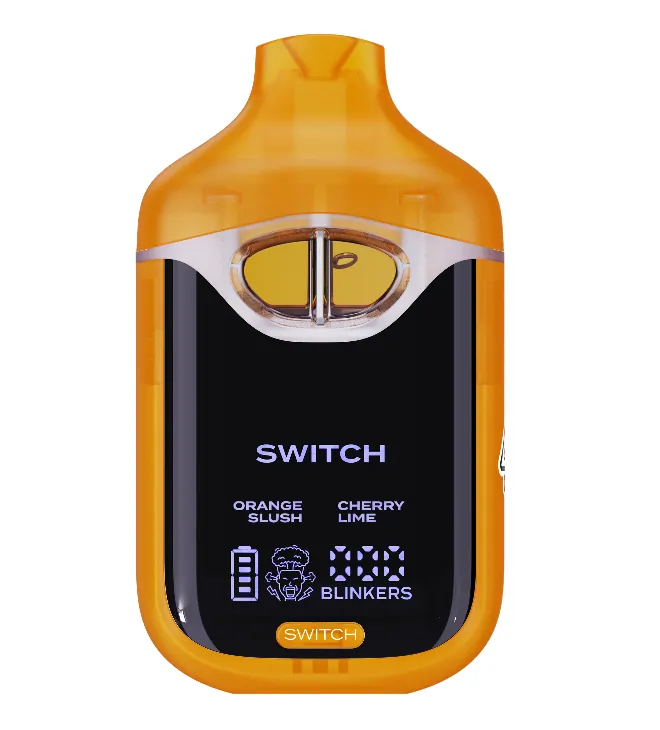
Boutiq Switch Not Hitting? How to Fix It
A Boutiq Switch not hitting is almost always a flat battery, an empty tank on the selected setting, cold oil or a blocked airway, and each one takes a minute to fix. Charge it first, then switch tanks, warm it in your pocket and blow gently through the mouthpiece. These four causes sit behind most dead-feeling devices. Work through them in order below before you assume the device is dead, and use the cart section if yours is a 510.
Boutiq Switch not hitting: the four fixes in order
Go through these in this exact order. The first one solves more dead-feeling devices than everything else combined, and the order saves you from fixing the wrong thing.
- Charge it. A low battery is the most common reason a Switch will not fire. Plug it in over USB-C with any phone charger and give it a proper charge, not thirty seconds.
- Check the selected tank. Each strain sits in its own tank. If the selected one is empty, the device can seem dead on that setting while the others still work. Press the selector to move to another tank and try again.
- Warm it up. Thick oil wicks slowly in the cold. Keep the device in a pocket for a few minutes and try a gentle draw.
- Clear the airflow. Blow gently through the mouthpiece to clear a blocked channel, then take a slow draw.
- Still dead? Contact us with your order number and a photo or short video of what the device does when you draw.
Most Switch models are draw-activated, so there is no fire button to hold. If you are pressing a button and waiting for vapor, that is not how it works. Just draw.
Symptom, cause and fix at a glance
| Symptom | Likely cause | Fix |
|---|---|---|
| No light, no vapor on any tank | Flat battery | Charge over USB-C |
| Works on one tank, dead on another | Selected tank is empty | Switch tanks with the selector |
| Light comes on, very little vapor | Cold, thick oil | Warm it in a pocket for a few minutes |
| Hard to pull air through | Blocked airway | Blow gently through the mouthpiece |
| Hits, but tastes burnt | High voltage or empty tank | Lower the heat, check the selected tank |
| Nothing works after all of the above | Possible device fault | Contact us with a photo or video |
Boutiq V5 not hitting
The V5 has three tanks plus Infinity Mode, which fires all three at once. That makes the selected-tank problem more common on a V5 than on any other model. If one tank runs dry first and you have Infinity Mode on, the blend can taste off or weak. Go back to single tanks one at a time and find the empty one.
How to fix Boutiq V5 not hitting when it is charged
If the battery is full and every tank still feels weak, look at the heat setting. A V5 left on its lowest level with cold, thick oil can feel like it is barely hitting. Warm it first. If it is still thin, step the heat up one level using the card in your box. Our guide on changing the heat level on a V5 explains why the button sequence varies between batches and why you should follow your own card.
The same steps apply to the V5 Gum and Orb editions and to the V6.

Boutiq V4 not hitting
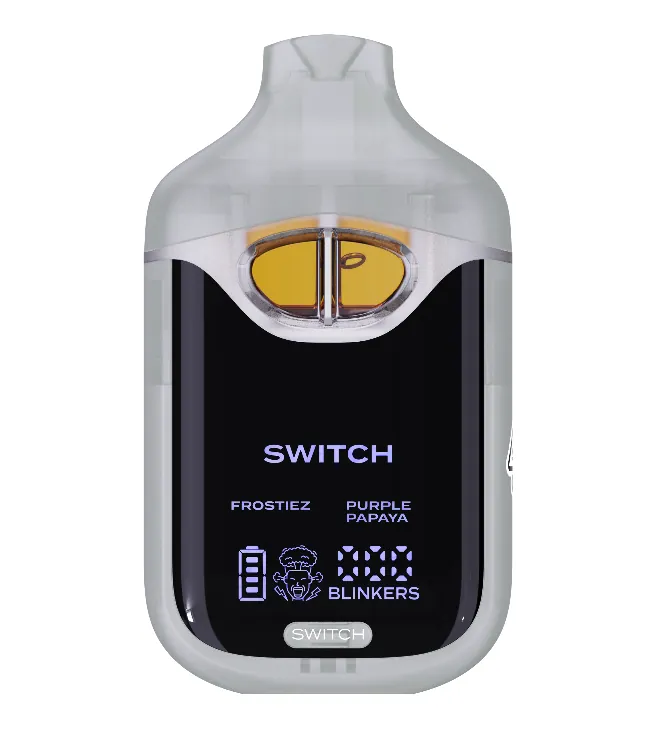
The V4 has two tanks, and its selector cycles through tank one, tank two and both. With a Boutiq Switch V4 not hitting, the cause is usually the same as on the V5: a low charge or one empty tank. The Glow edition works the same way.
How to fix Boutiq Switch V4 not hitting
Here is how to fix Boutiq V4 not hitting in practice. Charge it. Press the selector until you are on a single tank and draw. Then move to the other tank and draw. If one fires and the other does not, the dead one is empty. If neither fires after a full charge, warm the device and blow gently through the mouthpiece before you try again. You can see the current Boutiq Switch V4 range if yours has run out.
Boutiq V3 not hitting
Older V3 devices work the same way with two tanks. Because they are older, the oil in a V3 that has sat in a drawer is more likely to be thick, so warming it up matters even more. Charge, check each tank, warm, clear the airway.
How to unclog a Boutiq Switch
A clog is usually oil that has cooled and thickened in the airway. Warm the device in your pocket for a few minutes first, because cold oil will not move no matter what you do. Then blow gently through the mouthpiece to push the blockage clear. Gentle is the important word. Hard blowing or sucking can push oil where it should not go. After that, take a slow, light draw rather than a long hard pull.
Storing the device upright and somewhere not too cold helps stop it happening again.
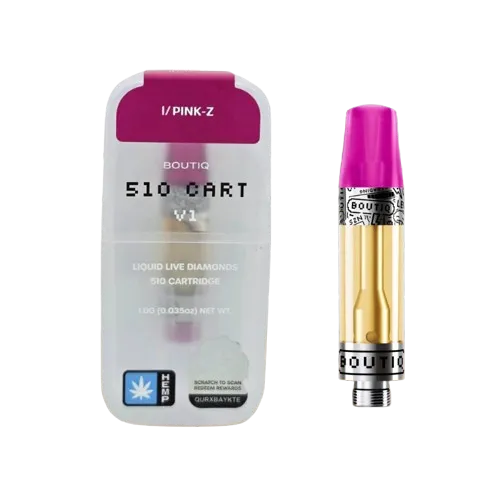
Why is my Boutiq cart not hitting?
A Boutiq 510 cart has no battery of its own, so a cart that will not hit is often a battery or connection problem rather than a cart problem. Work through these:
- Charge the battery. A weak 510 battery is the first suspect, just as on the Switch.
- Check the connection. Unscrew the cart and look at the threads and the contact point on both parts. Wipe away any oil or residue with a dry cotton swab.
- Do not overtighten. Screw the cart on until it is snug and stop. Cranking it down can stop the contact pins from meeting properly.
- Warm the oil. Cold, thick oil in a cart wicks slowly, exactly like in a disposable.
- Check the voltage. On an adjustable battery, start around 2.6 to 3.0 V. Too low on thick oil can feel like nothing is happening.
Why is my Boutiq cart not working on any battery?
If a cart fails on two batteries that work with other carts, the problem is the cart. Before you contact anyone, check the box against the steps in our post on checking whether a Boutiq cart is real. Copies are common, and copied hardware is often what fails. If you bought it from us, contact us with a photo. The flavors we stock are on our Boutiq cart flavors range.
Boutiq Switch not working at all: when to stop troubleshooting
My advice: give it the four fixes once, properly, then stop. If a charged, warm Switch with oil in every tank and a clear airway still will not fire, more fiddling will not bring it back. Send us your order number with a short video of what happens when you draw, and we will take it from there. For the rest of the controls, including tank selection and blinkers, see how to use the Boutiq Switch.
Boutiq not hitting is frustrating, but in the vast majority of cases it is a charge, a tank or cold oil, not a broken device.