How to open a Boutiq cart, turn off a Switch and preheat it
How to open a Boutiq cart? Short answer: do not try. Boutiq 510 carts and Switch disposables are sealed units that are not built to be opened or refilled, and forcing them usually ends in leaks, a cracked housing or a damaged battery. What you can do is stop the device firing, warm thick oil so it flows, and spot an empty tank before you assume the device is broken. Here is each of those, model by model.
How to open a Boutiq cart (and why I tell people not to)
Every week someone asks how to open a boutiq cart, usually because the oil looks low or the cart stopped hitting. My answer is always the same. A 510 cart is assembled and sealed at the factory. The mouthpiece is pressed on, not designed to twist off, and the center post sits inside a glass or plastic tank that cracks easily under pressure. Pull on it with pliers and you are far more likely to break the cart than get at the oil.
There is also a safety reason. On a cart you buy from us, the seal is part of how you know it has not been tampered with. Our guide to spotting real Boutiq carts points out that oil already sitting inside the center post, a crooked mouthpiece or a label that peels off easily are signs of a copy. If your cart arrived looking opened, do not use it.
How to open Boutiq Switch, V5 and V4 disposables
The answer to how to open boutiq switch devices is the same: they are not made to come apart. A Switch is a disposable with a battery, coil and separate tanks built into one body. How to open boutiq v5 or how to open boutiq v4 searches usually come from people hoping to reach leftover oil, but prying the shell exposes a lithium battery and the wiring that feeds each tank. That is a real risk of damage, and there is no way to put it back together properly.
If a device seems dead with oil left, the fix is almost never inside the shell. Work through the steps below first.
How to turn off Boutiq Switch V5
Most Switch models are draw-activated. There is no fire button to hold, and the coil only heats while you are inhaling. Stop drawing and it stops heating. So for day to day use, how to turn off boutiq switch v5 comes down to this: put it down. It will not fire in your pocket unless air is pulled through the mouthpiece.
Some people want a lock or full power-off for travel. I will not give you a button sequence for that, because the button combinations on the Switch have changed between batches, the same way the voltage sequence has. The selector button also changes tanks and heat, so random presses can leave you on a setting you did not want. Check the card that came in your box. If your batch has a lock or off function, that card is where it is described.
How to turn off Boutiq V5 vs how to turn off Boutiq V4
How to turn off boutiq v5 and how to turn off boutiq v4 have the same core answer: stop drawing and the device stops. The V4 has two tanks plus a both setting where the V5 has three plus all three, but neither needs a power button to stay idle. For how to turn off boutiq switch v4 locks or anything beyond that, again, follow your box card.
How to preheat Boutiq V5
People ask how to preheat boutiq v5 because the first draw on a cold day can feel weak or tight. The guide we work from does not list a preheat button on the Switch, and I am not going to invent one. If your box card describes a preheat function, use it as written. If it does not, here is what actually works:
- Keep the device in an inside pocket for a few minutes. Thick oil wicks slowly in the cold, and body heat loosens it.
- Check the selected tank. The screen or light shows which setting is live, so make sure it is on a tank that still has oil.
- Start on the lowest heat setting. A cold, thick oil on high voltage is a quick route to a burnt taste.
- Take a short, gentle first draw of two or three seconds rather than a full pull. That primes the wick.
- If it still feels blocked, blow gently through the mouthpiece to clear the airflow channel, then try again.
That same routine is my answer to how to preheat boutiq switch v5, how to preheat a boutiq v5 and the general boutiq switch preheat question. It is boring, but it works better than mashing buttons.
How to preheat Boutiq V4 and other models
For how to preheat boutiq v4, how to preheat boutiq switch v4 and can you preheat boutiq v4: the pocket method, a low setting and a short first draw. The V4 and Glow use the same draw-activated design. The V3 works the same way with two tanks. Can you preheat a boutiq switch with a dedicated button? Only if your batch's card says so.

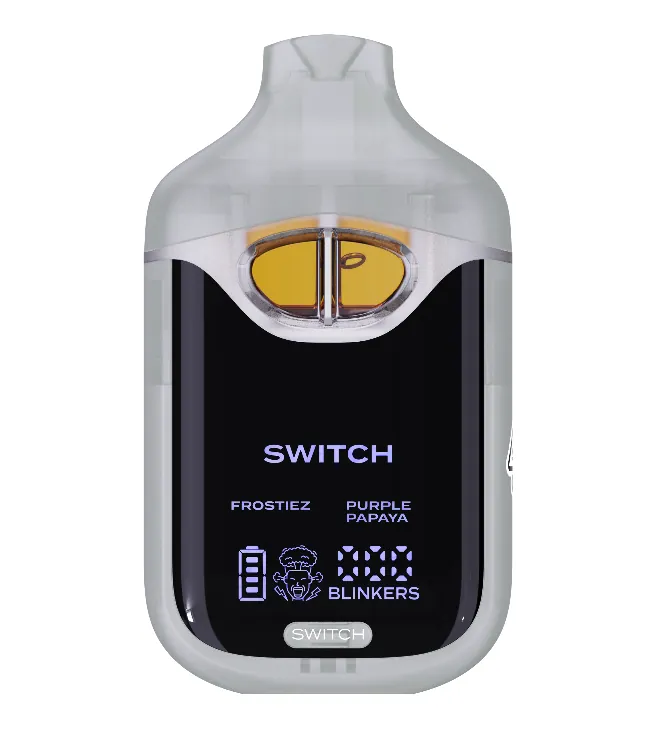
Empty Boutiq Switch: how to tell
An empty boutiq switch rarely announces itself all at once, because each tank empties on its own. The most common confusion I see is a device that seems dead on one setting while the other tanks still hit fine. Before you write off an empty Boutiq V5, cycle the selector through every tank.
| What you notice | Likely cause | What to do |
|---|---|---|
| No hit on one tank, others work | That tank is empty | Switch to a tank with oil left |
| No hit on any tank | Low battery | Charge over USB-C, then try again |
| Weak, tight draw in the cold | Thick oil wicking slowly | Warm it in a pocket for a few minutes |
| Burnt taste with oil left | Heat set too high | Lower the voltage and check the selected tank |
| Burnt taste on every tank | Tanks empty, or a fault | Contact us with your order number and a photo or short video |
On the all-tanks setting, the device fires every tank at once and uses oil three times as fast as a single tank. If one tank runs dry before the others, that setting can start tasting burnt even though there is still oil elsewhere. Drop back to a single tank to finish what is left. Our Infinity Mode explainer goes into why.
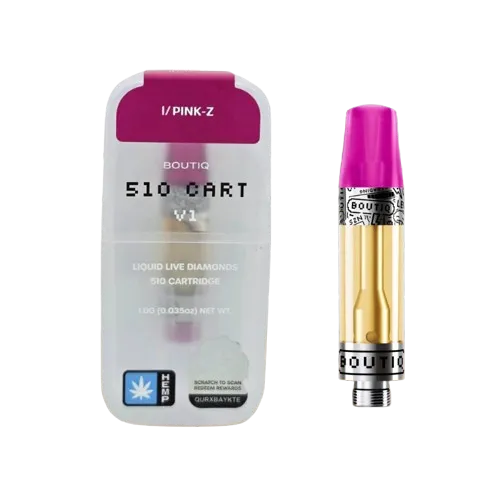
Empty Boutiq cart
An empty boutiq cart is easier to read, since you can usually see the oil level through the tank. Once the oil is below the intake holes the cart will taste burnt. That is the end of the cart. Do not try to open it to reach the last of the oil.
My recommendation
Treat the Switch and the carts as sealed products and leave the shell closed. Most of what people try to fix by opening a device is actually a flat battery, an empty tank on the current setting, cold oil or heat set too high. Charge it, check the tank, warm it and turn the voltage down. If none of that brings it back, use our Boutiq not hitting fixes and then get in touch with your order number and a photo or short video. For anything about button sequences, the card in your box beats any guide online, including this one.
If you are picking up a new device, the two-tank Switch V4 and the three-tank V5 both follow everything above.
